 物件PRO
Real estate listings & flyers
Enter a property once. Get flyers and a listing page on your iPhone.
Manage your properties for sale or rent in one place. From the same details, make print flyers, a listing page with a QR code, social images and Excel in moments.
For iPhone · Free to start. On a computer, use the web version (物件PRO).
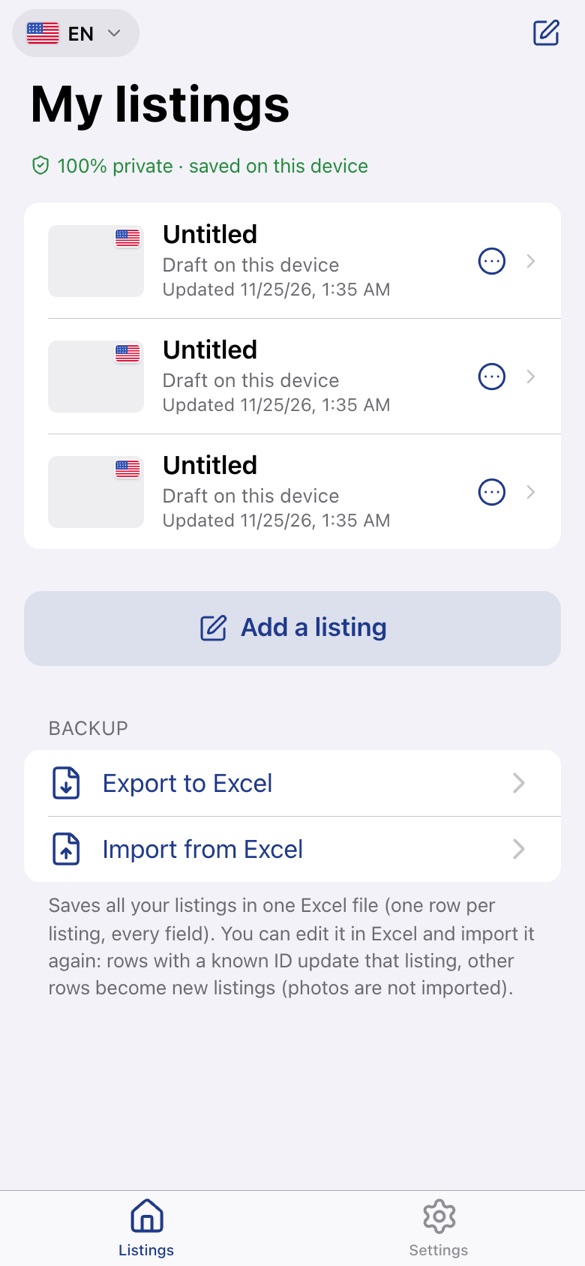
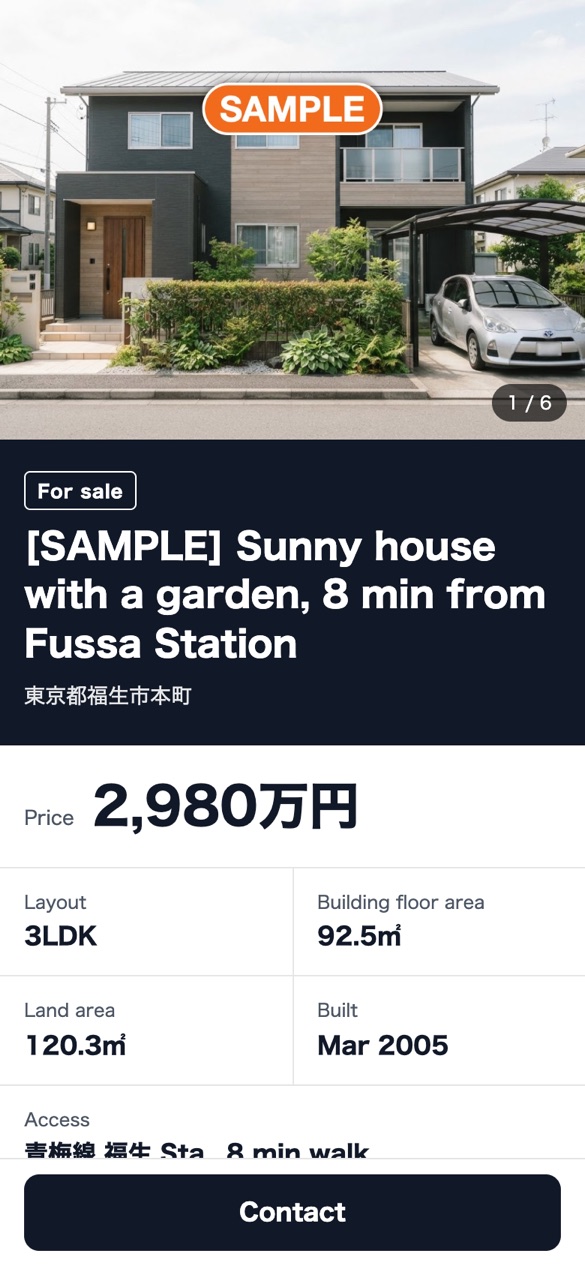
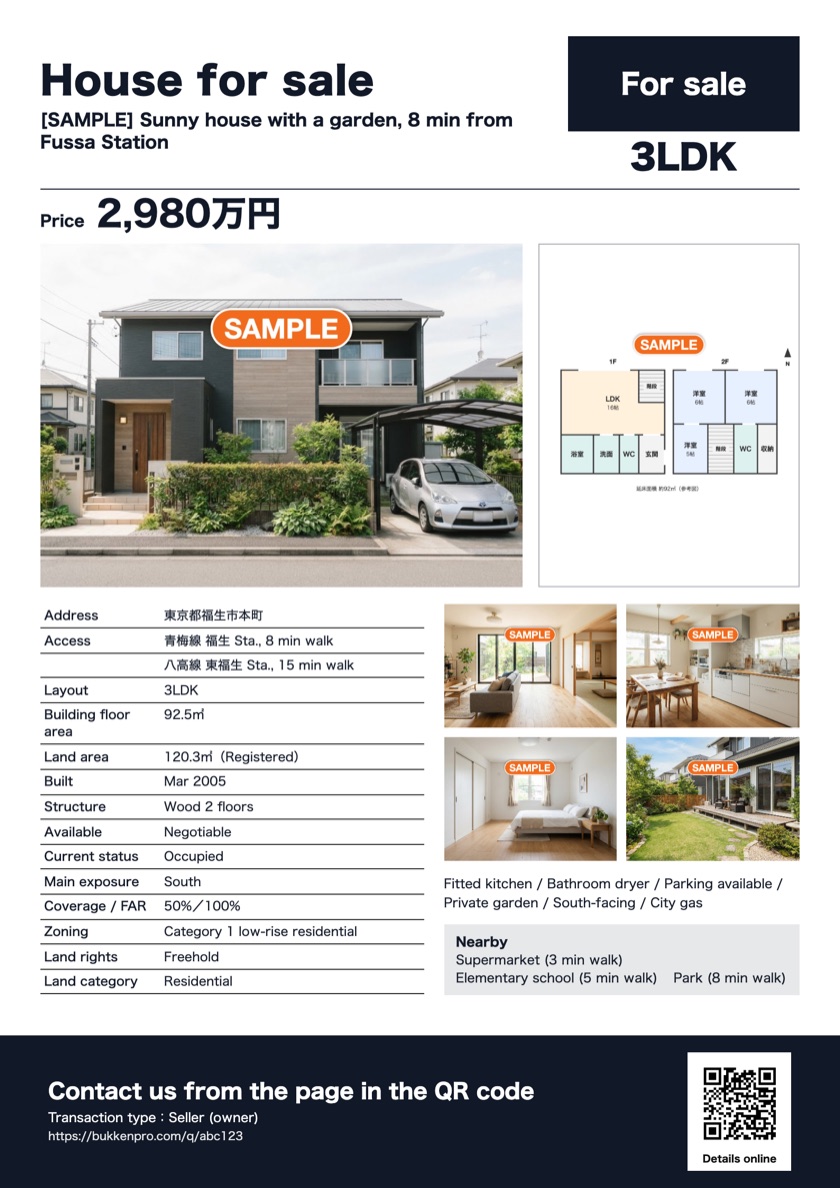
One property, four formats
Type it in once, then export what you need.
Flyers
A4, B5 and A5, portrait or landscape. Photos, floor plan, nearby places and a QR code, saved as PDF.
- Ready for convenience-store printing
- Published listings get their QR code automatically
Listing page
A mobile-friendly page for each property, shared with a short link and a QR code.
- Call and LINE buttons
- Privacy mode hides the street number
Social images
Square (1080×1080) and portrait (1080×1350) images, ready for Instagram, LINE and X.
- Photo, price and layout in one image
- Straight to the share sheet
Excel
Export every property to one spreadsheet, or import a spreadsheet to add and update listings in bulk.
- A simple backup
- Easy to share with your team
Three simple steps
Fill in
The address from the postal code, the nearest station from a list. Try it with sample data first.
Pick a design
Choose a template and colours, and check the result in the preview.
Export or publish
Print the flyer, share the images, publish the page. The QR code is ready at once.
15 languages for international clients
Copy a property into another language with automatic translation. The language versions link to each other, so visitors can pick theirs. The app itself is in 15 languages too.
- 日本語
- English
- 简体中文
- 繁體中文(台灣)
- Tiếng Việt
- 한국어
- Filipino
- नेपाली
- Português (Brasil)
- Bahasa Indonesia
- မြန်မာ
- हिन्दी
- ไทย
- বাংলা
- اردو
See which listings get attention
Check views of your listing pages and taps on their call, LINE and email links.
- Sources: QR code & flyers / shared link / search / social
- Daily chart and all-time totals per listing
- Your most viewed listing at a glance
- No cookies, and no IP addresses stored
No account. Your data stays on your iPhone
Start right away
No email address, no password.
Listings saved on your device
Only the listings you choose to publish go online.
Hide the street number
Privacy mode is on by default.
Pricing
Start free and upgrade when you need more.
Free
¥0
- Unlimited listings on your iPhone
- Flyers, social images and Excel
- Publish up to 3 properties (language versions count as one)
- Ads in the app
- “Made with 物件PRO” on your listing pages
物件PRO
¥700 / month
or ¥5,000 / year
- Publish unlimited properties
- No ads in the app
- No “Made with 物件PRO” on your pages
- More storage for photos
Prices include Japanese consumption tax. Payment is charged to your Apple ID; cancel any time in your App Store subscription settings.
FAQ
Is it free?
Yes. Creating and saving listings and exporting flyers are free. You can publish up to 3 properties for free; beyond that you need 物件PRO.
Do I need an account?
No. Your listings are saved on your iPhone. When you publish your first page, you just choose the name (handle) used in its URL.
Can I use it if I'm not a real estate agent?
Yes. Individual owners and landlords can use it too. Agents can show their company name and licence number on flyers and pages.
What if I change iPhones?
Export your listings to Excel and import them on the new iPhone. Published pages are edited from the iPhone that published them; contact support if you need help.
How do I cancel?
Open Settings → your Apple ID → Subscriptions on your iPhone. 物件PRO stays active until the end of the period you paid for.
Is there an Android or desktop version?
Not yet — 物件PRO is for iPhone. Published listing pages open in any browser on any device.
Make your next listing with 物件PRO.
Download the app and try it with the sample data.